Graphical Tools#
Qt Enabled Shell#
Note
To use graphical tools from the Python command line make sure you have created a QApplication or else they will crash your shell.
You can either use IPython_:
user@computer$ ipython --gui=qt
or you can manually start a QApplication. In the python command line:
from qtpy import QtWidgets
app = QtWidgets.QApplication([])
Displaying images#
openalea.image.gui.display can be used for displaying a matrix as an image.
1from openalea.image.all import display
2w1 = display(im, title="An image")
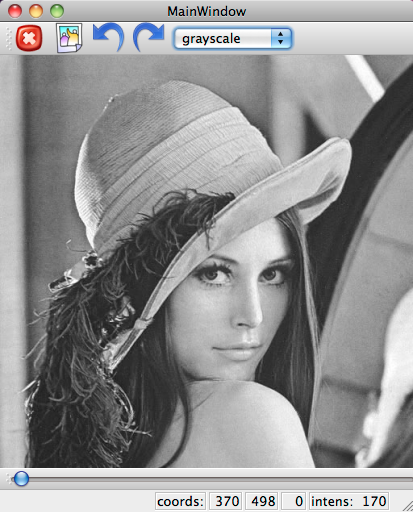
In VisuAlea, the same function exits in the package openalea.image.gui.
Let’s drag and drop the node display in the workspace.
Point Selection Tool#
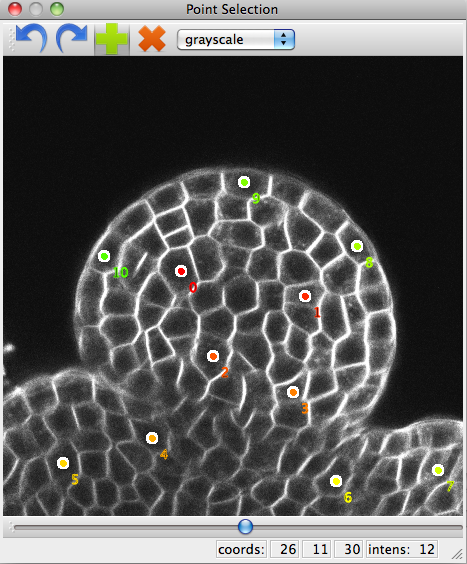
openalea.image.gui.point_selection.point_selection() is a graphical tool that lets you place points in an image.
It naturally works for 2D but also for 3D by navigating through the slices.
1from openalea.image.all import point_selection
2ps1 = point_selection(im1)
Loading and saving points#
It is possible to load points from a text file and use them. The text file must look like this:
142.3 124.4 398.1
124.2 423.5 642.4
234.0 540.1 543.2
[...]
Note
If the image is 2D, leave out the third column.
Then load the file like this:
import numpy as np
pts1 = np.loadtxt("pts1.txt")
ps1.set_points(pts1)
The points from the PointSelection widget can be obtained with get_points():
pts1_bis = ps1.get_points()
They can then be saved .txt file with numpy.savetxt():
np.savetxt("pts1_bis.txt", pts1_bis)